How to Replace Paper:
When thermal paper runs low, the device will announce “Printer Out of Paper.” At this point, locate a new roll of thermal paper.
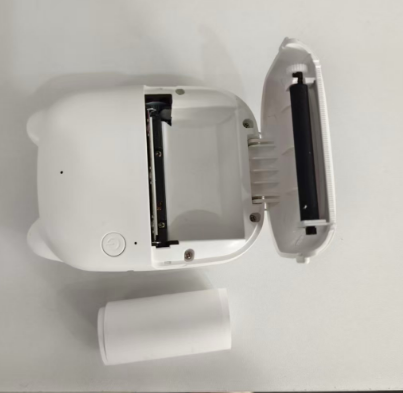
– Open the device’s paper compartment.
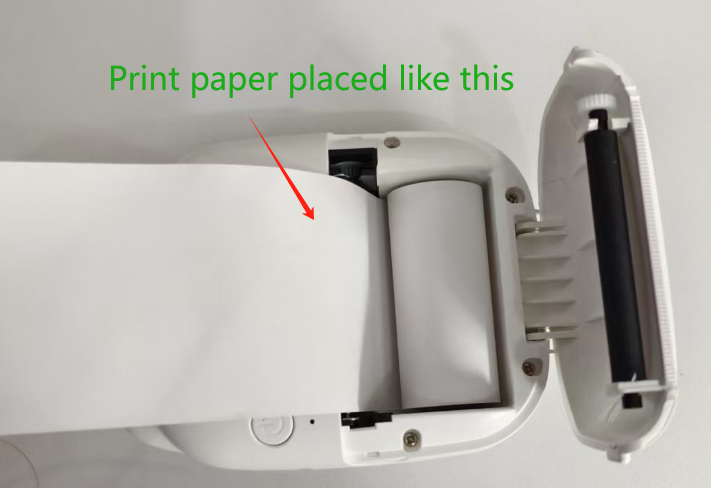
– Insert the thermal paper as shown in the illustration.
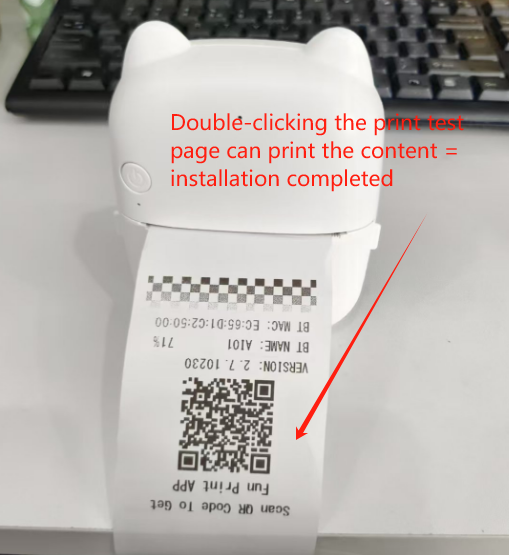
– After installation, double-click to print a test page to verify the paper is not inserted upside down.
– If paper is inserted upside down, nothing will print on the paper
Paper Size:
Please purchase 57mm-wide thermal paper. This size is perfectly suited to deliver optimal printing results.