Characters:
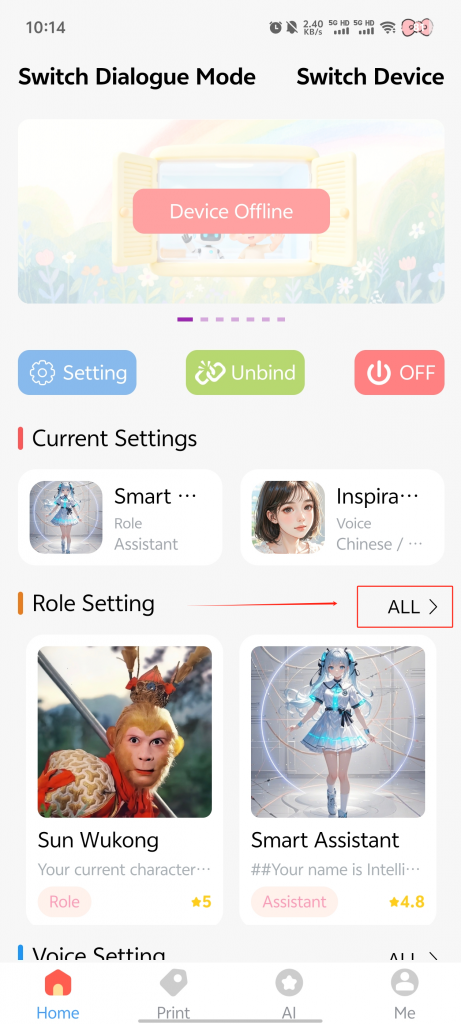
With the device powered on, tap 【Role Settings】 on the app’s home screen
→ select 【All】 on the right
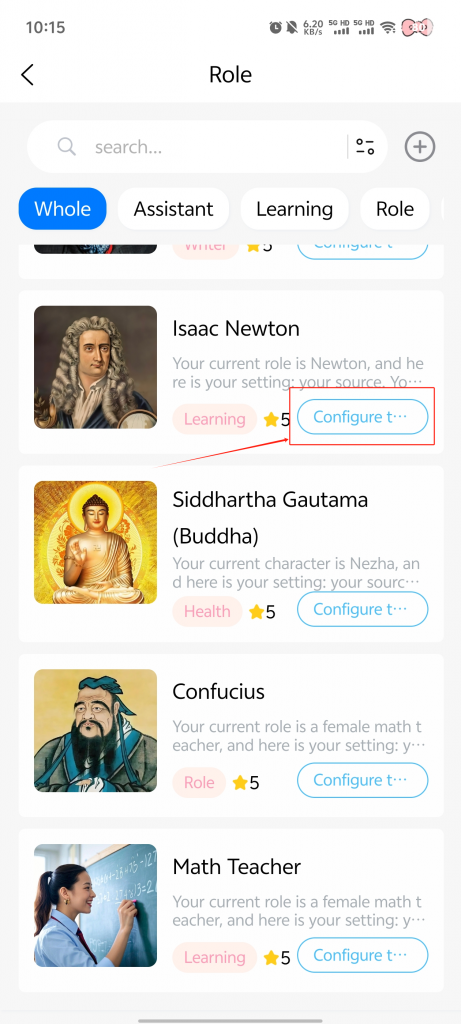
→ choose or customize your preferred character.
Voices:
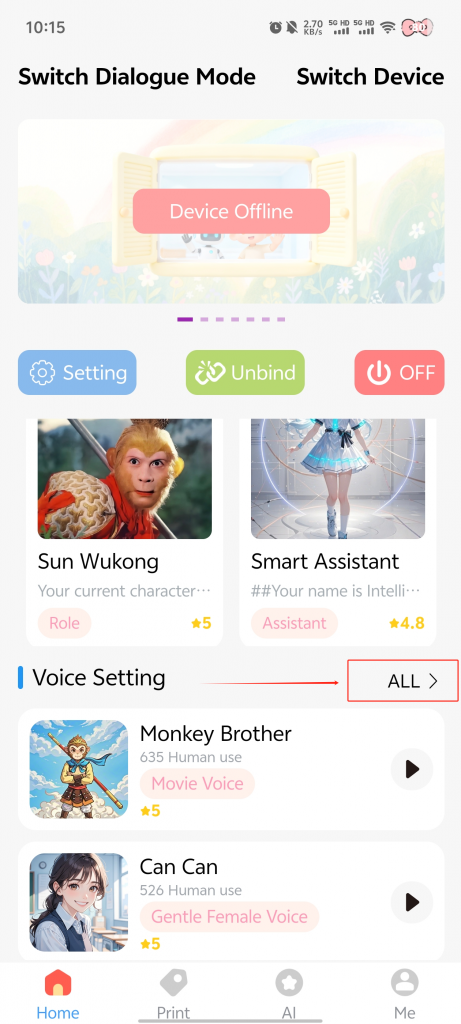
With the device powered on, tap 【Voice Settings】 on the app’s home screen
→ select 【All】 on the right
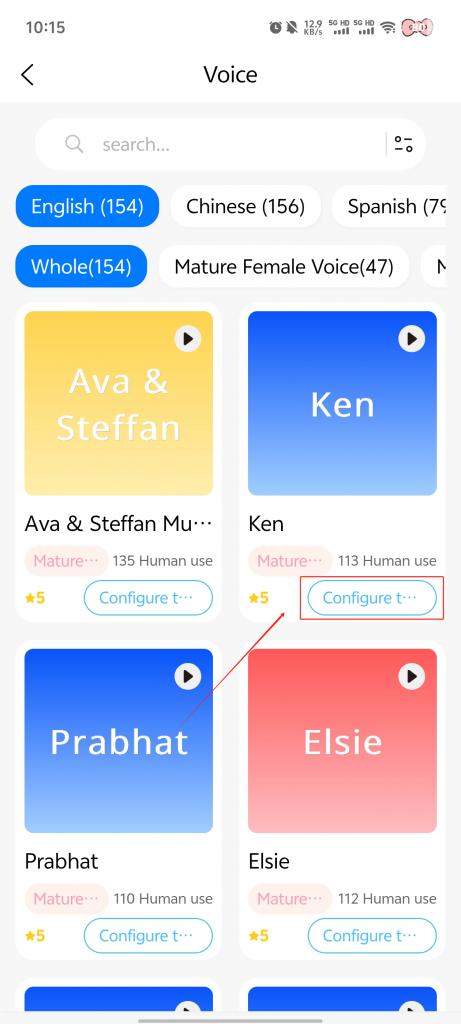
→ choose your preferred voice.