The AI robot supports multiple mainstream large models, such as DeepSeek, OpenAI, and ZhiPu. It can engage in real-time text-based conversations with users and also supports voice-to-text communication. Additionally, users can directly print the responses generated by the AI.
The steps are as follows:
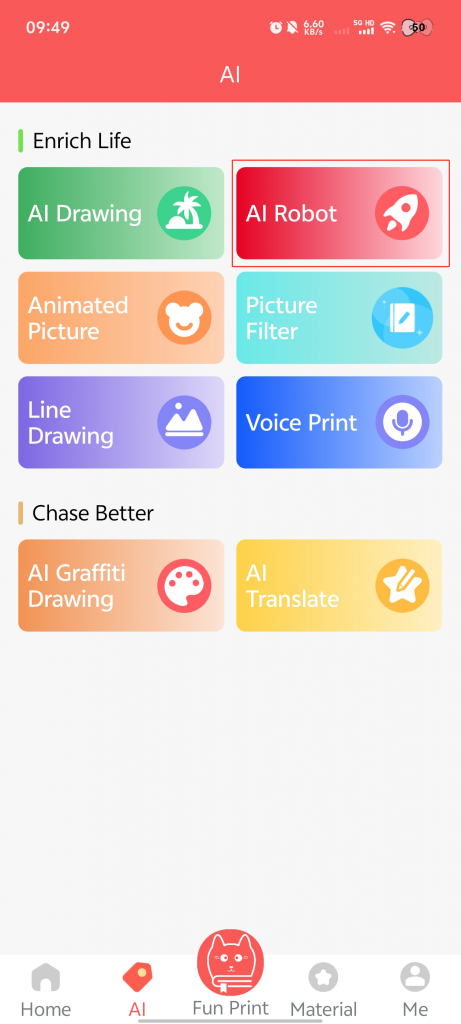
1.On the AI page, click on [AI Robot].
2.Long press the [Microphone] icon to input voice.
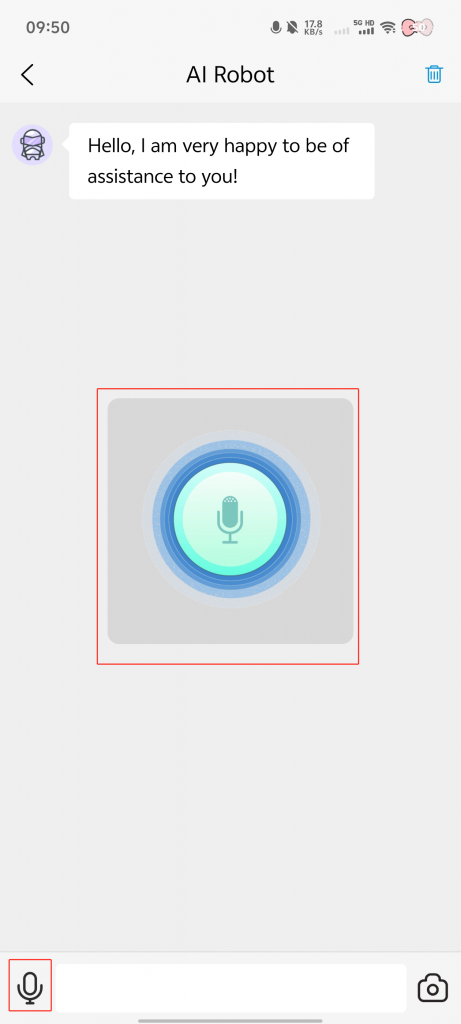
3.Click on the [Chat Box] at the bottom of the page to type in text.
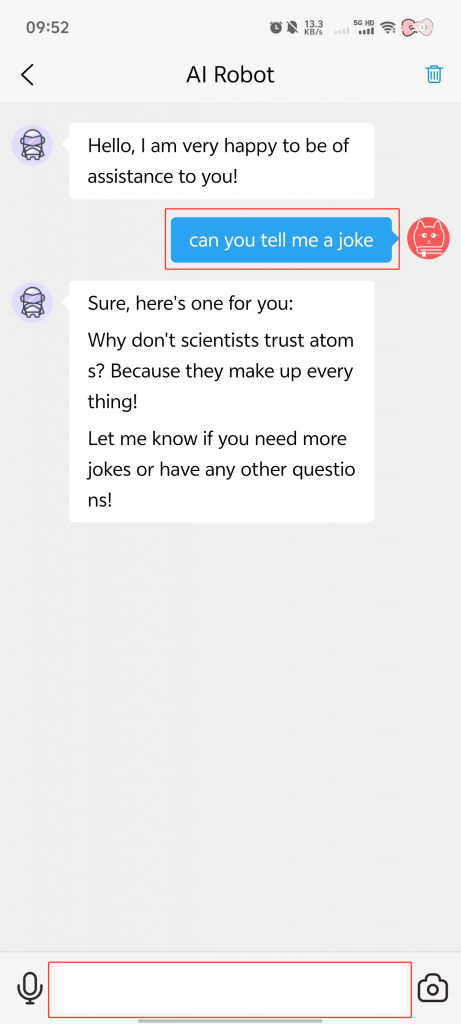
4.Click on the [Camera] icon to input an image.
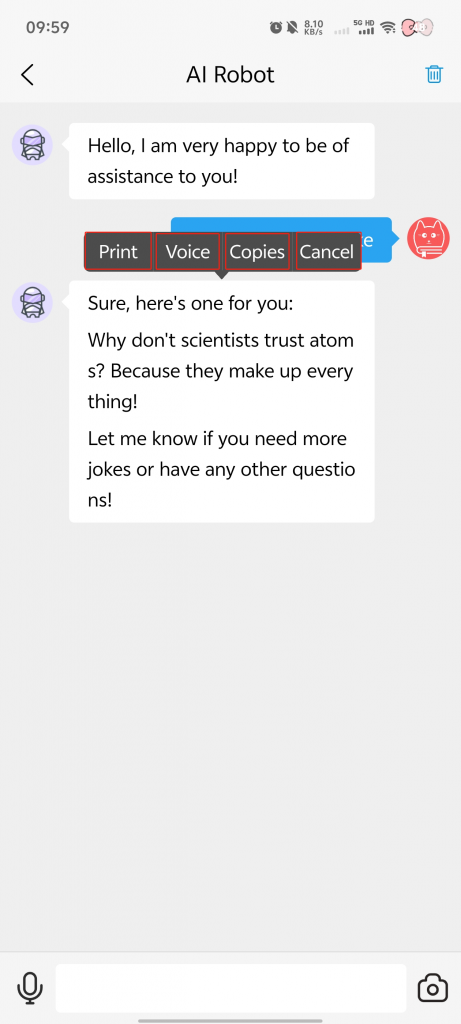
5.Long press the chat content → Four functions will appear: [Print], [Voice], [Copy], and [Cancel].
Notes:
Click [Print] to print the selected chat content for easy access.
Click [Voice] to have the robot read the selected chat content aloud.
Click [Copy] to copy the selected chat content and paste it wherever you need.
Click [Cancel] to dismiss the long-press effect.